
%22%20d%3D%22M0%200h1200v675H0z%22%2F%3E%3Ccircle%20cx%3D%22897%22%20cy%3D%22158%22%20r%3D%2285%22%20fill%3D%22%23f5e7b9%22%2F%3E%0A%3Cg%20fill%3D%22%23e5ede0%22%20opacity%3D%22.6%22%3E%3Cpath%20d%3D%22M112%20111h113v16H112zM147%2094h52v17h-52zM683%2077h102v17H683zM709%2063h44v14h-44z%22%2F%3E%3C%2Fg%3E%0A%3Cpath%20d%3D%22M0%20352l139-140%20142%20150%2098-95%20142%20117%20154-190%20150%20166%20181-159%20194%20181v293H0z%22%20fill%3D%22%238eada0%22%2F%3E%0A%3Cpath%20d%3D%22M0%20427l181-89%20135%2089%20143-95%20188%20151%20165-132%20142%2090%20164-93%2082%2047v280H0z%22%20fill%3D%22%23668e7d%22%2F%3E%0A%3Cpath%20d%3D%22M0%20496l194-48%20130%2095%20165-51%20191%2058%20176-86%20152%2026%20192-82v267H0z%22%20fill%3D%22%23426d5e%22%2F%3E%0A%3C!--%20%E5%8E%9F%E5%88%9B%E7%9F%A2%E9%87%8F%E5%B0%81%E9%9D%A2%EF%BC%9A%E7%A7%AF%E6%9C%A8%E5%8D%A1%E8%BD%A6%E5%92%8C%E6%96%AD%E6%A1%A5%EF%BC%8C%E4%B8%8D%E4%BD%BF%E7%94%A8%E6%B8%B8%E6%88%8F%E6%88%AA%E5%9B%BE%E6%88%96%E7%AC%AC%E4%B8%89%E6%96%B9%E7%BE%8E%E6%9C%AF%E3%80%82%20--%3E%0A%3Cg%3E%3Cpath%20d%3D%22M-60%20494l426-64%20120%2080-426%2068z%22%20fill%3D%22%23d7b88a%22%2F%3E%3Cpath%20d%3D%22M0%20567l486-57v165H0z%22%20fill%3D%22%238f7856%22%2F%3E%3Cpath%20d%3D%22M0%20546l470-62%2016%2026L0%20578z%22%20fill%3D%22%23efe0ba%22%2F%3E%3Cpath%20d%3D%22M99%20576h44v99H99zM314%20547h44v128h-44z%22%20fill%3D%22%23665e48%22%2F%3E%0A%3Cpath%20d%3D%22M838%20430l362-55v95l-269%2046z%22%20fill%3D%22%23d4b784%22%2F%3E%3Cpath%20d%3D%22M931%20516l269-46v205H931z%22%20fill%3D%22%23806d4d%22%2F%3E%3Cpath%20d%3D%22M823%20415l377-55v30l-362%2055z%22%20fill%3D%22%23e9d8b1%22%2F%3E%3Cpath%20d%3D%22M956%20511h40v164h-40zM1149%20483h38v192h-38z%22%20fill%3D%22%235f5a43%22%2F%3E%0A%3Cpath%20d%3D%22M77%20509l343-49M161%20496l38%2037M252%20482l37%2038M343%20469l36%2037M890%20416l40%2040M977%20403l41%2040M1064%20390l42%2040M1151%20377l42%2040%22%20stroke%3D%22%23ac946f%22%20stroke-width%3D%226%22%2F%3E%3C%2Fg%3E%0A%3Cg%20transform%3D%22translate(530%20306)%20rotate(-18)%22%3E%0A%3Cellipse%20cx%3D%224%22%20cy%3D%22219%22%20rx%3D%22156%22%20ry%3D%2220%22%20fill%3D%22%23244a3c%22%20opacity%3D%22.2%22%2F%3E%0A%3Cpath%20d%3D%22M-116%2059l49-30h179l-47%2031z%22%20fill%3D%22%23ffc25b%22%2F%3E%3Cpath%20d%3D%22M-116%2059H65v92h-181z%22%20fill%3D%22%23ef8b24%22%2F%3E%3Cpath%20d%3D%22M65%2060l47-31v90l-47%2032z%22%20fill%3D%22%23c76919%22%2F%3E%0A%3Cpath%20d%3D%22M-72%2022l39-23h91l-35%2023z%22%20fill%3D%22%23ffd47c%22%2F%3E%3Cpath%20d%3D%22M-72%2022h95v77h-95z%22%20fill%3D%22%23f7ad3d%22%2F%3E%3Cpath%20d%3D%22M23%2022L58-1v77L23%2099z%22%20fill%3D%22%23c57a25%22%2F%3E%0A%3Cpath%20d%3D%22M-59%2031h69v45h-69z%22%20fill%3D%22%23284e51%22%2F%3E%3Cpath%20d%3D%22M-51%2035h11v38h-11z%22%20fill%3D%22%2377acaa%22%2F%3E%3Cpath%20d%3D%22M31%2030l19-12v42L31%2072z%22%20fill%3D%22%23244546%22%2F%3E%0A%3Cpath%20d%3D%22M-126%20126H79v24h-205z%22%20fill%3D%22%23423f35%22%2F%3E%3Cpath%20d%3D%22M79%20126l43-26v24l-43%2026z%22%20fill%3D%22%23292f2a%22%2F%3E%0A%3Cpath%20d%3D%22M-115%2097h24v12h-24zM43%2097h19v12H43z%22%20fill%3D%22%23fff1c1%22%2F%3E%0A%3Cg%20fill%3D%22%23262e2a%22%20stroke%3D%22%231c2521%22%20stroke-width%3D%226%22%3E%3Ccircle%20cx%3D%22-74%22%20cy%3D%22146%22%20r%3D%2239%22%2F%3E%3Ccircle%20cx%3D%2240%22%20cy%3D%22146%22%20r%3D%2239%22%2F%3E%3C%2Fg%3E%0A%3Cg%20fill%3D%22%237b8575%22%20stroke%3D%22%23adb7a0%22%20stroke-width%3D%227%22%3E%3Ccircle%20cx%3D%22-74%22%20cy%3D%22146%22%20r%3D%2217%22%2F%3E%3Ccircle%20cx%3D%2240%22%20cy%3D%22146%22%20r%3D%2217%22%2F%3E%3C%2Fg%3E%0A%3C%2Fg%3E%0A%3Cg%20fill%3D%22%23eadcc0%22%20opacity%3D%22.8%22%3E%3Cpath%20d%3D%22M313%20432h51v8h-51zM268%20450h54v8h-54zM338%20406h38v8h-38z%22%2F%3E%3C%2Fg%3E%0A%3Cg%20transform%3D%22translate(1068%20228)%22%3E%3Cpath%20d%3D%22M0%200v149%22%20stroke%3D%22%23e8e4ce%22%20stroke-width%3D%227%22%2F%3E%3Cpath%20d%3D%22M3%200h75v51H3z%22%20fill%3D%22%23f5f1db%22%2F%3E%3Cpath%20d%3D%22M3%200h15v17H3zM33%200h15v17H33zM63%200h15v17H63zM18%2017h15v17H18zM48%2017h15v17H48zM3%2034h15v17H3zM33%2034h15v17H33zM63%2034h15v17H63z%22%20fill%3D%22%23263f35%22%2F%3E%3C%2Fg%3E%0A%3Cpath%20fill%3D%22url(%23shade)%22%20d%3D%22M0%200h1200v675H0z%22%2F%3E%0A%3C%2Fsvg%3E%0A)





A little throttle goes a long way
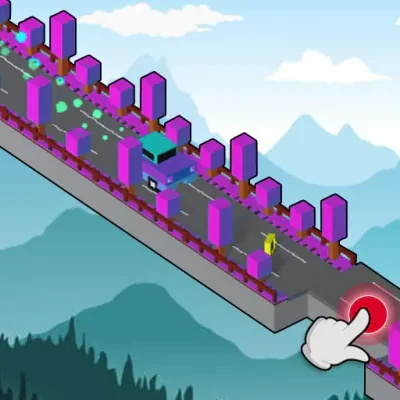
Drive Mad is a driving challenge built around balance. Your job is to reach the end of the track while keeping your vehicle under control. A ramp that looks harmless can tip you over when you approach it too quickly. Oversized wheels help you climb, but they do not make every landing easy.
The fun is in learning what went wrong. Try a shorter burst of acceleration, carry a little less speed onto a slope, or give the truck time to settle. Each attempt helps you read the track more clearly.
Keep your next attempt simple
Change one thing at a time after a crash. If you keep flipping at the same ramp, reduce your approach speed before trying a different route or timing. Our how-to-play guide turns that trial-and-error loop into a practical routine.
Looking for Drive Mad 2? Read our sequel guide for what is available here. This site currently provides the original game and does not label it as a different release.
Getting through your first few tracks
Treat the opening tracks as a chance to learn the vehicle rather than a race. Before moving, look for the first change in height and the space available after it. Roll forward with a brief press, release, and watch how far the truck continues. That gives you a reference for the next approach. These are practice ideas for the track in front of you, not a numbered walkthrough or a promise that every version has the same early levels.
On a climb, pay attention to whether the front of the truck keeps rising after the wheels reach the slope. If it does, try releasing earlier on the next attempt. At a gap, compare the result: falling short suggests a different approach from overshooting the landing. Make a small speed adjustment, repeat the part that already worked, and wait for the wheels to settle before accelerating toward the next obstacle.
When the page opens but the game loads slowly
The cover illustration is part of this website; the playable game is a separate download from Fancade. Seeing the cover does not mean that download has started. Select Play Now once, then wait for the provider’s player. Repeatedly pressing Restart creates a fresh player and can make a slow connection feel even slower. Close other demanding tabs if the device is struggling, and check whether an ordinary website also loads slowly.
If the player remains blank, use the official-player link below the game to compare. If that also fails, the issue may involve the provider, your browser, or the network. If the direct player works, try reloading this page or another current browser to check whether embedding is the problem. Reloading can interrupt your run. On a managed device, ask the administrator about access restrictions instead of changing security settings.
When the keyboard or touch controls do not respond
Click or tap inside the game itself after it opens. Clicking a website button such as Fullscreen can move keyboard focus away from the embedded player, so click inside again before trying Z or X. Check whether the game is paused or showing a menu that needs a selection. If the vehicle is visibly stuck against an obstacle, working input may still produce little movement; that is different from a player that never receives your keys.
On a phone, use the left and right sides inside the player rather than the surrounding webpage. If the view is cramped, try landscape orientation. The website’s fullscreen button depends on browser support; when unavailable, a larger browser window or the direct player link may help. Avoid clearing browser storage as a first troubleshooting step, because doing so can remove locally stored preferences or game progress.
Recognizing the original game and other versions
This page loads Martin Magni’s original Fancade game. A familiar title on another website does not by itself identify the same release, a sequel, or a multiplayer game. Compare the named creator and provider before relying on instructions, screenshots, or a claimed level count. Different releases can have different features, so a video showing a particular track may not match the version you are playing here.
Our version guide explains what this site has verified about sequel searches, while the browser access guide covers network-related loading problems. For practice beyond the basics, use the controls and driving guide. Choose the page that matches your question; returning to this homepage always brings you back to the clearly identified original player.
Browser names and versions · Original Drive Mad controls · Loading help
Need a specific answer? See the controls and driving guide, Drive Mad Unblocked access help, Drive Mad io browser game, or Drive Mad 2 version guide.
Controls and quick steps
- 01Start the game
Select Play Now, then click or tap inside the player.
- 02Find your balance
Press X to accelerate and Z to brake or reverse. On touchscreens, use the right and left sides of the game.
- 03Stick the landing
Use short bursts of acceleration to cross obstacles and reach the finish without flipping over.
Game by Martin Magni / Fancade ↗. Controls reference: Fancade Web. This is an independent game and guide site. Cover artwork is an original illustration.